Yep, we may get a tiny thank-you (read: commission) when you buy through
links on Gadgetspotr — not enough for a yacht, but enough to keep the lights (and
servers) on.
Learn more
37
Highlights
56
Differences
6
Reactions
0
Likes
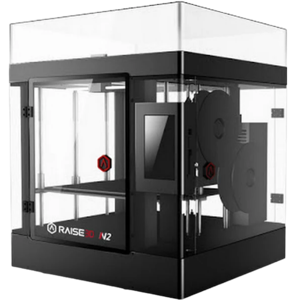
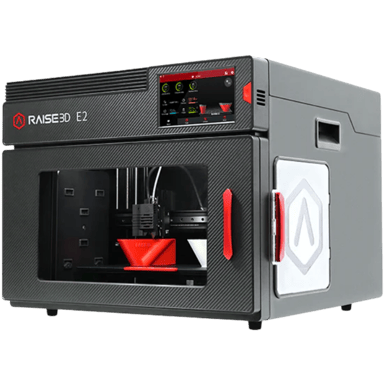
Raise3D E2
vs
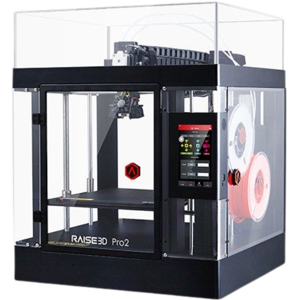
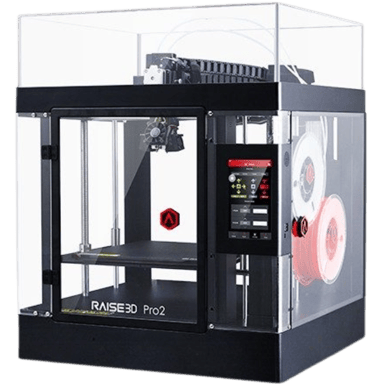
Raise3D Pro2:
37 Highlights & 56 Differences —
So, Which 3D Printer Actually Works Better
Choose speed and size with the Pro2 or opt for precision and noise reduction with the E2.
From print log storage, weight, package weight & official max print speed to user experience, we laid out the pros and quirks of Raise3D E2 vs Raise3D Pro2 in one sharp 3d printers breakdown.
Raise3D E2 vs. Raise3D Pro2: A Detailed Comparison of Industrial 3D Printers
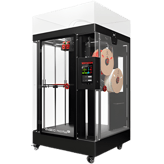
Both the Raise3D E2 and Raise3D Pro2 are engineered to meet the demanding needs of industrial and professional users who require reliable FDM/FFF 3D printing solutions. These printers share fundamental capabilities such as enclosed Cartesian frames, support for biocompatible materials, multiple connectivity options, and comprehensive remote firmware update features. However, their differences in build volume, print speed, noise levels, and user convenience features position each model uniquely for different priorities in an industrial setting.
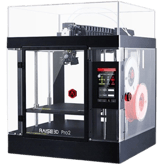
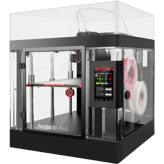
The Raise3D E2, launched in 2019, impresses with superior print accuracy of 5 microns compared to the Pro2's 10 microns, and runs quieter at 35 dB versus 50 dB. It integrates filament auto-loading and is designed for better environmental compliance with HEPA filtration certified for air quality, making it a quieter and cleaner workspace option. On the other hand, the earlier Pro2 model from 2018 emphasizes larger print jobs with a build volume of 1296.8 inch³ and a top print speed of 300 mm/s, double that of the E2. It also provides additional carbon filtration combined with HEPA, extended upgrade options, and licensing features tailored to professional environments.
Why Choose the Raise3D E2 for Precision and Ease
The Raise3D E2 excels in print quality and user-friendly automation. Its 5-micron print accuracy ensures finer details, making it ideal for intricate industrial parts. Its quieter 35 dB operation benefits office or lab environments where sound control matters. The filament auto-loading feature streamlines setup, reducing operator effort. Moreover, with solid environmental controls including a certified HEPA air filtration system and full air quality compliance, the E2 is a top pick for environments requiring stringent particulate control. Its built-in maintenance reminders and full compatibility with post-processing equipment add to operational efficiency and workflow integration.
The printer's compact footprint relative to build volume offers better space utilization in constrained workshop setups. Enterprise features such as secure firmware updates (remote), usage analytics, and predictive cost estimation further underline its suitability for high-volume industrial environments needing precise cost control and security.
The Strengths That Raise3D Pro2 Brings to Speed and Volume
For users prioritizing print size and speed, the Raise3D Pro2 clearly shines. With a significantly larger build volume of 1296.8 inch³ versus the E2's 1159.4 inch³, it accommodates bigger parts and larger batches. Its official maximum print speed of 300 mm/s provides a clear advantage in output turnaround, suitable for workflows where production speed outweighs precision.
The Pro2 features combined HEPA and carbon air filtration, enhancing odor control during printing. While it lacks official air quality certification, the dual filtration offers practical filtration benefits. The Pro2 also allows firmware and camera upgrades alongside licensing options, supporting more rigorous enterprise environments that demand adaptable security and oversight.
Its lighter printer weight (50.2 lbs vs. 77.2 lbs for E2) may ease physical handling during setup or repositioning. However, it comes with heftier packaging weight (141.1 lbs), indicating robust transport protection or extra accessories. The Pro2's higher operating power consumption reflects its more aggressive printing profile, but it should be noted when managing power budgets.
Quick Take
The Raise3D E2 impresses with top-notch print precision, quieter operation, and intelligent automation features, making it a great choice for settings where accuracy and minimal noise are critical. Meanwhile, the Raise3D Pro2 prioritizes faster speeds and a larger build area, suited for bulkier prints and accelerated workflows where volume takes precedence.
Bottom Line: Which Raises the Bar Higher?
Ultimately, the Raise3D E2 stands out as the best all-around industrial 3D printer for those who value superior print quality, quieter operation, and modern conveniences like filament auto-loading and air quality compliance. It also comes at a more affordable price point of $2999 at 3DPrima. Conversely, the Raise3D Pro2 appeals most to professionals needing the benefits of a larger build volume and faster printing speeds, making it ideal for bigger or faster production runs despite its higher cost of $3499 at Amazon.
Verdict
Winner: Raise3D E2 => Offers finer print accuracy, quieter operation, filament auto-loading, and stronger environmental compliance, delivering excellent value for most industrial users.
Runner-up: Raise3D Pro2 => Provides a larger build volume and faster printing speeds with upgrade flexibility, suited for professionals prioritizing speed and size over precision.
Whether the printer includes an energy-saving or eco mode.
In the battle of Energy Saving Mode,
Raise3D E2 ◉ is
better than
Raise3D Pro2 ◉
.
Don’t keep it to yourself — be the first to react and review the
Energy Saving Mode on Raise3D E2 ◉
vs Raise3D Pro2 ◉ and help others decide!
Power Consumption
What is the power consumption?
350
Watt
0Votes
600
Watt
0Votes
vs
Power Consumption
Power Consumption for Raise3D E2 is 350 Watts while Raise3D Pro2 consumes 600 Watts, so the Pro2 uses more power.
Average power usage during active printing.
In the battle of Power Consumption,
Raise3D E2 ◉ is
better than
Raise3D Pro2 ◉
, delivering
lower
250.0 Watt
measurement.
Don’t keep it to yourself — be the first to react and review the
Power Consumption on Raise3D E2 ◉
vs Raise3D Pro2 ◉ and help others decide!
Operating Temperature Range
What is the operating temperature range?
0
Raise3D E2
0Votes
59-86°F
0
Raise3D Pro2
0Votes
59-86°F
Raise3D Pro2
The printer operates optimally within a temperature range of 59-86°F (15-30°C). Maintaining this environment helps ensure consistent print quality and printer longevity.
Recommended ambient temperature range for safe operation.
In the battle of Operating Temperature Range,
Raise3D E2 ◉ is
same as
Raise3D Pro2 ◉
.
Don’t keep it to yourself — be the first to react and review the
Operating Temperature Range on Raise3D E2 ◉
vs Raise3D Pro2 ◉ and help others decide!
Idle Power Consumption
What is the idle power consumption?
40
Watt
0Votes
75
Watt
0Votes
Raise3D E2
Idle power consumption is 40 Watt, indicating energy efficiency when not actively printing.
Power drawn while the printer is on but not printing.
In the battle of Idle Power Consumption,
Raise3D E2 ◉ is
better than
Raise3D Pro2 ◉
, delivering
lower
35.0 Watt
measurement.
Don’t keep it to yourself — be the first to react and review the
Idle Power Consumption on Raise3D E2 ◉
vs Raise3D Pro2 ◉ and help others decide!
Storage Temperature Range
What is the storage temperature range?
0
Raise3D E2
0Votes
32-95°F
0
Raise3D Pro2
0Votes
32-95°F
Safe temperature range for storing the printer when not in use.
In the battle of Storage Temperature Range,
Raise3D E2 ◉ is
same as
Raise3D Pro2 ◉
.
Don’t keep it to yourself — be the first to react and review the
Storage Temperature Range on Raise3D E2 ◉
vs Raise3D Pro2 ◉ and help others decide!
Operating Humidity Range
What is the operating humidity range?
0
Raise3D E2
0Votes
10-90%
0
Raise3D Pro2
0Votes
10-90%
vs
Operating Humidity Range
Operating Humidity Range is 10-90% for both Raise3D E2 and Raise3D Pro2, indicating equal tolerance during operation.
Acceptable humidity range during printer operation.
In the battle of Operating Humidity Range,
Raise3D E2 ◉ is
same as
Raise3D Pro2 ◉
.
Don’t keep it to yourself — be the first to react and review the
Operating Humidity Range on Raise3D E2 ◉
vs Raise3D Pro2 ◉ and help others decide!
Storage Humidity Range
What is the storage humidity range?
0
Raise3D E2
0Votes
10-90%
0
Raise3D Pro2
0Votes
10-90%
vs
Storage Humidity Range
The Storage Humidity Range is 10-90% for both Raise3D E2 and Raise3D Pro2, so they share the same humidity tolerance for storage.
Safe humidity range for storing the printer.
In the battle of Storage Humidity Range,
Raise3D E2 ◉ is
same as
Raise3D Pro2 ◉
.
Don’t keep it to yourself — be the first to react and review the
Storage Humidity Range on Raise3D E2 ◉
vs Raise3D Pro2 ◉ and help others decide!
Power Supply Type
What type of power supply does it use?
0
Raise3D E2
0Votes
Internal
0
Raise3D Pro2
0Votes
Internal
vs
Power Supply Type
The Power Supply Type for both Raise3D E2 and Raise3D Pro2 is Internal, meaning both have built-in power supplies.
Indicates whether the printer uses an internal or external power supply.
In the battle of Power Supply Type,
Raise3D E2 ◉ is
same as
Raise3D Pro2 ◉
.
Don’t keep it to yourself — be the first to react and review the
Power Supply Type on Raise3D E2 ◉
vs Raise3D Pro2 ◉ and help others decide!
Raise3D E2 has a Build Volume of 1159.4 cubic inches, while Raise3D Pro2 has a larger volume of 1296.8 cubic inches, enabling bigger prints on the Pro2.
total printable volume capacity.
In the battle of Build Volume,
Raise3D E2 ◉ is
worse than
Raise3D Pro2 ◉
, delivering
lower
137.4 cubic in
measurement.
Based on community votes for Build Volume,
Raise3D E2 ◉ earned
0 votes,
less than
Raise3D Pro2 ◉,
which got 1 votes.
The Raise3D Pro2 offers a bigger build volume so if you need big prints thats a solid choice.
See more
Build Width
What is the build width?
9.45
inch
0Votes
12
inch
0Votes
vs
Build Width
Build Width for Raise3D E2 is 9.45 inches, while for Raise3D Pro2 it is 12 inches, giving Pro2 a wider build area.
Maximum printable width of the build area.
In the battle of Build Width,
Raise3D E2 ◉ is
worse than
Raise3D Pro2 ◉
, delivering
lower
2.6 inch
measurement.
Don’t keep it to yourself — be the first to react and review the
Build Width on Raise3D E2 ◉
vs Raise3D Pro2 ◉ and help others decide!
Build Height
What is the build height?
9.45
inch
0Votes
11.8
inch
0Votes
Raise3D E2
Build height is 9.45 inch (24 cm), indicating maximal vertical printing size.
Raise3D Pro2
The maximum build height is 11.8 inches (29.97 cm), enabling the creation of tall objects.
Maximum printable height of the build area.
In the battle of Build Height,
Raise3D E2 ◉ is
worse than
Raise3D Pro2 ◉
, delivering
lower
2.4 inch
measurement.
Don’t keep it to yourself — be the first to react and review the
Build Height on Raise3D E2 ◉
vs Raise3D Pro2 ◉ and help others decide!
Layer Resolution Minimum
What is the minimum layer resolution?
10
microns
0Votes
10
microns
0Votes
vs
Layer Resolution Minimum
Both Raise3D E2 and Raise3D Pro2 have a minimum Layer Resolution of 10 microns, offering the same fine detail potential.
Finest layer height achievable.
In the battle of Layer Resolution Minimum,
Raise3D E2 ◉ is
same as
Raise3D Pro2 ◉
, delivering
equal
10.00 microns
measurement.
Don’t keep it to yourself — be the first to react and review the
Layer Resolution Minimum on Raise3D E2 ◉
vs Raise3D Pro2 ◉ and help others decide!
Max Extruder Temperature
What is the max extruder temperature?
572
°F
0Votes
572
°F
0Votes
Raise3D E2
Maximum extruder temperature is 572°F (300°C), suitable for specialty and high-temperature filaments.
Raise3D Pro2
The maximum extruder temperature this printer can reach is 572°F (300°C). This high temperature capability allows for printing with engineering-grade filaments.
Maximum heating capability of extruder.
In the battle of Max Extruder Temperature,
Raise3D E2 ◉ is
same as
Raise3D Pro2 ◉
, delivering
equal
572.00 °F
measurement.
Don’t keep it to yourself — be the first to react and review the
Max Extruder Temperature on Raise3D E2 ◉
vs Raise3D Pro2 ◉ and help others decide!
Number of Extruders
How many extruders does the printer have?
0
Raise3D E2
0Votes
2
0
Raise3D Pro2
0Votes
2
Raise3D E2
Equipped with two extruders, enabling multi-material or multi-color printing in a single print job.
Raise3D Pro2
The printer is equipped with 2 extruders, allowing for multi-material or multi-color printing, or printing with dedicated support material.
total extruders installed.
In the battle of Number of Extruders,
Raise3D E2 ◉ is
same as
Raise3D Pro2 ◉
.
Don’t keep it to yourself — be the first to react and review the
Number of Extruders on Raise3D E2 ◉
vs Raise3D Pro2 ◉ and help others decide!
Layer Resolution Maximum
What is the maximum layer resolution?
20
microns
0Votes
250
microns
0Votes
vs
Layer Resolution Maximum
The maximum Layer Resolution is 20 microns for Raise3D E2 and significantly higher at 250 microns for Raise3D Pro2, meaning E2 can print finer layers.
Thickest layer height achievable.
In the battle of Layer Resolution Maximum,
Raise3D E2 ◉ is
worse than
Raise3D Pro2 ◉
, delivering
lower
230.0 microns
measurement.
Don’t keep it to yourself — be the first to react and review the
Layer Resolution Maximum on Raise3D E2 ◉
vs Raise3D Pro2 ◉ and help others decide!
Compatible with optional nozzle sizes from 0.2mm up to 1.0mm, providing flexibility in print detail and speed.
Alternative nozzle sizes supported.
In the battle of Optional Nozzle Sizes,
Raise3D E2 ◉ is
same as
Raise3D Pro2 ◉
.
Don’t keep it to yourself — be the first to react and review the
Optional Nozzle Sizes on Raise3D E2 ◉
vs Raise3D Pro2 ◉ and help others decide!
Min Extruder Temperature
What is the min extruder temperature?
32
°F
0Votes
392
°F
0Votes
Raise3D E2
The minimum extruder temperature is 32°F (0°C), suitable for standard filaments.
Lowest operable extruder temperature.
In the battle of Min Extruder Temperature,
Raise3D E2 ◉ is
better than
Raise3D Pro2 ◉
, delivering
lower
360.0 °F
measurement.
Don’t keep it to yourself — be the first to react and review the
Min Extruder Temperature on Raise3D E2 ◉
vs Raise3D Pro2 ◉ and help others decide!
Max Bed Temperature
What is the max bed temperature?
230
°F
0Votes
230
°F
0Votes
Raise3D E2
Maximum bed temperature is 230°F (110°C), enabling printing with a variety of temperature-sensitive materials.
Maximum heated bed temperature.
In the battle of Max Bed Temperature,
Raise3D E2 ◉ is
same as
Raise3D Pro2 ◉
, delivering
equal
230.00 °F
measurement.
Don’t keep it to yourself — be the first to react and review the
Max Bed Temperature on Raise3D E2 ◉
vs Raise3D Pro2 ◉ and help others decide!
Quick-Swap Nozzles
Does it have quick-swap nozzles?
No
0Votes
Raise3D E2
Yes
0Votes
Raise3D Pro2
Raise3D Pro2
Nozzles can be quickly swapped, which simplifies maintenance and allows for easy adaptation to different printing requirements or material types.
Nozzles can be quickly swapped without tools.
In the battle of Quick-Swap Nozzles,
Raise3D E2 ◉ is
worse than
Raise3D Pro2 ◉
.
Don’t keep it to yourself — be the first to react and review the
Quick-Swap Nozzles on Raise3D E2 ◉
vs Raise3D Pro2 ◉ and help others decide!
Extruder Drive Type
What type of extruder drive does it use?
0
Raise3D E2
0Votes
Direct Drive
0
Raise3D Pro2
0Votes
Direct Drive
Raise3D E2
It uses a direct drive extruder system, which offers better control for flexible filaments and reduces stringing.
The type of filament feeding system.
In the battle of Extruder Drive Type,
Raise3D E2 ◉ is
same as
Raise3D Pro2 ◉
.
Don’t keep it to yourself — be the first to react and review the
Extruder Drive Type on Raise3D E2 ◉
vs Raise3D Pro2 ◉ and help others decide!
Standard Nozzle Diameter
What is the standard nozzle diameter?
0.4
mm
0Votes
0.4
mm
0Votes
Default nozzle diameter provided.
In the battle of Standard Nozzle Diameter,
Raise3D E2 ◉ is
same as
Raise3D Pro2 ◉
, delivering
equal
0.40 mm
measurement.
Don’t keep it to yourself — be the first to react and review the
Standard Nozzle Diameter on Raise3D E2 ◉
vs Raise3D Pro2 ◉ and help others decide!
Filament Diameter Supported
What filament diameter is supported?
1.75
mm
0Votes
1.75
mm
0Votes
The filament size compatible with printer.
In the battle of Filament Diameter Supported,
Raise3D E2 ◉ is
same as
Raise3D Pro2 ◉
, delivering
equal
1.75 mm
measurement.
Don’t keep it to yourself — be the first to react and review the
Filament Diameter Supported on Raise3D E2 ◉
vs Raise3D Pro2 ◉ and help others decide!
Bed Temperature Gradient
What is the bed temperature gradient?
230
°F
0Votes
Who knows?
0Votes
Raise3D Pro2
(Help us out by suggesting one!)
Variance in heat across the bed surface.
Don’t keep it to yourself — be the first to react and review the
Bed Temperature Gradient on Raise3D E2 ◉
vs Raise3D Pro2 ◉ and help others decide!
Heated Chamber
Does the printer have a heated chamber?
No
0Votes
Raise3D E2
Yes
0Votes
Raise3D Pro2
Whether the printer has a heated build chamber.
In the battle of Heated Chamber,
Raise3D E2 ◉ is
worse than
Raise3D Pro2 ◉
.
Don’t keep it to yourself — be the first to react and review the
Heated Chamber on Raise3D E2 ◉
vs Raise3D Pro2 ◉ and help others decide!
Chamber Temperature Control Range
What is the chamber temperature control range?
Who knows?
0Votes
Raise3D E2
(Help us out by suggesting one!)
0
Raise3D Pro2
0Votes
Up to 140°F
Range of temperatures the printer chamber can maintain
Don’t keep it to yourself — be the first to react and review the
Chamber Temperature Control Range on Raise3D E2 ◉
vs Raise3D Pro2 ◉ and help others decide!
Dual Extruders
Does it support dual extruders?
Yes
0Votes
Raise3D E2
Yes
0Votes
Raise3D Pro2
Indicates if printer can run dual extruders.
In the battle of Dual Extruders,
Raise3D E2 ◉ is
same as
Raise3D Pro2 ◉
.
Don’t keep it to yourself — be the first to react and review the
Dual Extruders on Raise3D E2 ◉
vs Raise3D Pro2 ◉ and help others decide!
Independent Dual Extruder
Does it have IDEX support?
Yes
0Votes
Raise3D E2
No
0Votes
Raise3D Pro2
Whether the printer supports independent extruder heads.
In the battle of Independent Dual Extruder,
Raise3D E2 ◉ is
better than
Raise3D Pro2 ◉
.
Don’t keep it to yourself — be the first to react and review the
Independent Dual Extruder on Raise3D E2 ◉
vs Raise3D Pro2 ◉ and help others decide!
Hotend Replaceable
Is the hotend replaceable?
Yes
0Votes
Raise3D E2
Yes
0Votes
Raise3D Pro2
Whether the hotend can be replaced.
In the battle of Hotend Replaceable,
Raise3D E2 ◉ is
same as
Raise3D Pro2 ◉
.
Don’t keep it to yourself — be the first to react and review the
Hotend Replaceable on Raise3D E2 ◉
vs Raise3D Pro2 ◉ and help others decide!
The printer supports a broad range of filament types, including PLA, ABS, HIPS, PC, TPU, TPE, PETG, ASA, PP, Nylon, Carbon Fiber, and Wood, enabling versatility for various applications.
Filament materials that the printer can process.
In the battle of Supported Filament Types,
Raise3D E2 ◉ is
same as
Raise3D Pro2 ◉
.
Don’t keep it to yourself — be the first to react and review the
Supported Filament Types on Raise3D E2 ◉
vs Raise3D Pro2 ◉ and help others decide!
Biocompatible Materials Support
Does it support biocompatible materials?
Yes
0Votes
Raise3D E2
Yes
0Votes
Raise3D Pro2
vs
Biocompatible Materials Support
Both Raise3D E2 and Raise3D Pro2 support Biocompatible Materials, allowing safe material use for medical or dental applications.
Supports resins/filaments approved for medical or dental use.
In the battle of Biocompatible Materials Support,
Raise3D E2 ◉ is
same as
Raise3D Pro2 ◉
.
Don’t keep it to yourself — be the first to react and review the
Biocompatible Materials Support on Raise3D E2 ◉
vs Raise3D Pro2 ◉ and help others decide!
Max Supported Filament Diameter
What is the maximum supported filament diameter?
1.75
mm
0Votes
1.75
mm
0Votes
Maximum filament diameter that can be used.
In the battle of Max Supported Filament Diameter,
Raise3D E2 ◉ is
same as
Raise3D Pro2 ◉
, delivering
equal
1.75 mm
measurement.
Don’t keep it to yourself — be the first to react and review the
Max Supported Filament Diameter on Raise3D E2 ◉
vs Raise3D Pro2 ◉ and help others decide!
Filament Dry Box
Does it support filament dry boxes?
No
0Votes
Raise3D E2
Yes
0Votes
Raise3D Pro2
Supports use of a dry box to prevent filament moisture issues.
In the battle of Filament Dry Box,
Raise3D E2 ◉ is
worse than
Raise3D Pro2 ◉
.
Don’t keep it to yourself — be the first to react and review the
Filament Dry Box on Raise3D E2 ◉
vs Raise3D Pro2 ◉ and help others decide!
Filament Drying Required
Is filament drying required?
No
0Votes
Raise3D E2
Yes
0Votes
Raise3D Pro2
Whether drying filament before use is necessary.
In the battle of Filament Drying Required,
Raise3D E2 ◉ is
better than
Raise3D Pro2 ◉
.
Don’t keep it to yourself — be the first to react and review the
Filament Drying Required on Raise3D E2 ◉
vs Raise3D Pro2 ◉ and help others decide!
Multi-Material Printing
Can it print with multiple materials?
Yes
0Votes
Raise3D E2
Yes
0Votes
Raise3D Pro2
Ability to print with multiple materials simultaneously.
In the battle of Multi-Material Printing,
Raise3D E2 ◉ is
same as
Raise3D Pro2 ◉
.
Don’t keep it to yourself — be the first to react and review the
Multi-Material Printing on Raise3D E2 ◉
vs Raise3D Pro2 ◉ and help others decide!
Max Number of Materials Supported
What is the maximum number of materials supported?
0
Raise3D E2
0Votes
2
0
Raise3D Pro2
0Votes
2
Maximum distinct materials supported in one job.
In the battle of Max Number of Materials Supported,
Raise3D E2 ◉ is
same as
Raise3D Pro2 ◉
.
Don’t keep it to yourself — be the first to react and review the
Max Number of Materials Supported on Raise3D E2 ◉
vs Raise3D Pro2 ◉ and help others decide!
Third-Party Material
Does it support third-party materials?
Yes
0Votes
Raise3D E2
Yes
0Votes
Raise3D Pro2
Ability to use non-proprietary materials.
In the battle of Third-Party Material,
Raise3D E2 ◉ is
same as
Raise3D Pro2 ◉
.
Don’t keep it to yourself — be the first to react and review the
Third-Party Material on Raise3D E2 ◉
vs Raise3D Pro2 ◉ and help others decide!
Supported Resin Types
What resin types are supported?
0
Raise3D E2
0Votes
None
0
Raise3D Pro2
0Votes
None
Resin types that the printer can use.
In the battle of Supported Resin Types,
Raise3D E2 ◉ is
same as
Raise3D Pro2 ◉
.
Don’t keep it to yourself — be the first to react and review the
Supported Resin Types on Raise3D E2 ◉
vs Raise3D Pro2 ◉ and help others decide!
Compatible Resin Wavelength
What resin wavelength is compatible?
Who knows?
0Votes
Raise3D E2
(Help us out by suggesting one!)
Who knows?
0Votes
Raise3D Pro2
(Help us out by suggesting one!)
Light wavelength compatibility for curing resins.
Don’t keep it to yourself — be the first to react and review the
Compatible Resin Wavelength on Raise3D E2 ◉
vs Raise3D Pro2 ◉ and help others decide!
Max Resin Tank Capacity
What is the maximum resin tank capacity?
Who knows?
0Votes
Raise3D E2
(Help us out by suggesting one!)
Who knows?
0Votes
Raise3D Pro2
(Help us out by suggesting one!)
Maximum amount of resin the tank can hold.
Don’t keep it to yourself — be the first to react and review the
Max Resin Tank Capacity on Raise3D E2 ◉
vs Raise3D Pro2 ◉ and help others decide!
Resin Auto-Fill
Does it have resin auto-fill?
No
0Votes
Raise3D E2
No
0Votes
Raise3D Pro2
vs
Resin Auto-Fill
Neither Raise3D E2 nor Raise3D Pro2 supports Resin Auto-Fill, so this feature is absent in both models.
Automatic filling of resin during prints.
In the battle of Resin Auto-Fill,
Raise3D E2 ◉ is
same as
Raise3D Pro2 ◉
.
Don’t keep it to yourself — be the first to react and review the
Resin Auto-Fill on Raise3D E2 ◉
vs Raise3D Pro2 ◉ and help others decide!
Print accuracy on the Raise3D E2 is better with 5 microns so your prints could look nicer.
See more
Continuous Print Time
What is the max continuous print time?
100
hours
0Votes
200
hours
0Votes
Raise3D E2
Designed for long print durations with a continuous print time of 100 hours, ideal for large projects.
Raise3D Pro2
This printer is capable of continuous operation for up to 200 hours, making it suitable for long production runs or large, complex prints.
Maximum supported printing time without interruption.
In the battle of Continuous Print Time,
Raise3D E2 ◉ is
worse than
Raise3D Pro2 ◉
, delivering
lower
100.0 hours
measurement.
Don’t keep it to yourself — be the first to react and review the
Continuous Print Time on Raise3D E2 ◉
vs Raise3D Pro2 ◉ and help others decide!
Time to Print Benchy
How long does it take to print a Benchy?
85
minutes
0Votes
120
minutes
0Votes
vs
Time to Print Benchy
Time to Print Benchy is faster on Raise3D E2 at 85 minutes versus 120 minutes on Raise3D Pro2, enabling quicker prints on E2.
Average time to complete the benchmark “Benchy” model.
In the battle of Time to Print Benchy,
Raise3D E2 ◉ is
better than
Raise3D Pro2 ◉
, delivering
lower
35.0 minutes
measurement.
Don’t keep it to yourself — be the first to react and review the
Time to Print Benchy on Raise3D E2 ◉
vs Raise3D Pro2 ◉ and help others decide!
Overhang Performance
What is the overhang performance?
60
degrees
0Votes
Who knows?
0Votes
Raise3D Pro2
(Help us out by suggesting one!)
Raise3D E2
This printer supports overhangs up to 60 degrees, allowing more complex geometries without significant support structures.
Maximum angle of unsupported overhangs achievable.
Don’t keep it to yourself — be the first to react and review the
Overhang Performance on Raise3D E2 ◉
vs Raise3D Pro2 ◉ and help others decide!
Print Recovery
Does the printer support print recovery?
Yes
0Votes
Raise3D E2
Yes
0Votes
Raise3D Pro2
Raise3D Pro2
The printer supports print recovery features, allowing it to resume a print job after an interruption such as a power outage or filament runout.
Ability to resume print after power loss or interruption.
In the battle of Print Recovery,
Raise3D E2 ◉ is
same as
Raise3D Pro2 ◉
.
Don’t keep it to yourself — be the first to react and review the
Print Recovery on Raise3D E2 ◉
vs Raise3D Pro2 ◉ and help others decide!
Measured Effective Print Speed
What is the effective measured print speed?
60
mm/s
0Votes
Who knows?
0Votes
Raise3D Pro2
(Help us out by suggesting one!)
vs
Measured Effective Print Speed
Raise3D E2 has a Measured Effective Print Speed of 60 mm/s, while Raise3D Pro2 does not have this value available for comparison.
Independently measured real-world print speed.
Don’t keep it to yourself — be the first to react and review the
Measured Effective Print Speed on Raise3D E2 ◉
vs Raise3D Pro2 ◉ and help others decide!
First Layer Calibration
How is the first layer calibrated?
0
Raise3D E2
0Votes
Auto
0
Raise3D Pro2
0Votes
Auto
Method used for first-layer bed calibration.
In the battle of First Layer Calibration,
Raise3D E2 ◉ is
same as
Raise3D Pro2 ◉
.
Don’t keep it to yourself — be the first to react and review the
First Layer Calibration on Raise3D E2 ◉
vs Raise3D Pro2 ◉ and help others decide!
Print Adhesion Type
What type of print adhesion is used?
0
Raise3D E2
0Votes
PEI
0
Raise3D Pro2
0Votes
PEI
Method used to secure prints to the bed.
In the battle of Print Adhesion Type,
Raise3D E2 ◉ is
same as
Raise3D Pro2 ◉
.
Don’t keep it to yourself — be the first to react and review the
Print Adhesion Type on Raise3D E2 ◉
vs Raise3D Pro2 ◉ and help others decide!
Bridging Performance
What is the bridging performance?
15
mm
0Votes
Who knows?
0Votes
Raise3D Pro2
(Help us out by suggesting one!)
Longest unsupported horizontal span printed without sagging.
Don’t keep it to yourself — be the first to react and review the
Bridging Performance on Raise3D E2 ◉
vs Raise3D Pro2 ◉ and help others decide!
Spaghetti/Fault Detection
Does it have spaghetti or fault detection?
No
0Votes
Raise3D E2
Yes
0Votes
Raise3D Pro2
Detects failed prints or filament tangles.
In the battle of Spaghetti/Fault Detection,
Raise3D E2 ◉ is
worse than
Raise3D Pro2 ◉
.
Don’t keep it to yourself — be the first to react and review the
Spaghetti/Fault Detection on Raise3D E2 ◉
vs Raise3D Pro2 ◉ and help others decide!
Print Success Rate
What is the print success rate?
98
%
0Votes
Who knows?
0Votes
Raise3D Pro2
(Help us out by suggesting one!)
Percentage of prints successfully completed.
Don’t keep it to yourself — be the first to react and review the
Print Success Rate on Raise3D E2 ◉
vs Raise3D Pro2 ◉ and help others decide!
Operating Noise Level
What is the operating noise level?
50
dB
0Votes
50
dB
0Votes
Measures the sound generated during printing; lower is quieter.
In the battle of Operating Noise Level,
Raise3D E2 ◉ is
same as
Raise3D Pro2 ◉
, delivering
equal
50.00 dB
measurement.
Don’t keep it to yourself — be the first to react and review the
Operating Noise Level on Raise3D E2 ◉
vs Raise3D Pro2 ◉ and help others decide!
Print Quality Rating
What is the print quality rating?
Who knows?
0Votes
Raise3D E2
(Help us out by suggesting one!)
Who knows?
0Votes
Raise3D Pro2
(Help us out by suggesting one!)
Rated score for overall print quality (0–10).
Don’t keep it to yourself — be the first to react and review the
Print Quality Rating on Raise3D E2 ◉
vs Raise3D Pro2 ◉ and help others decide!
Both Raise3D E2 and Raise3D Pro2 have a Closed enclosure, offering similar print environment control.
Whether the printer has an open or enclosed build chamber.
In the battle of Enclosure,
Raise3D E2 ◉ is
same as
Raise3D Pro2 ◉
.
Don’t keep it to yourself — be the first to react and review the
Enclosure on Raise3D E2 ◉
vs Raise3D Pro2 ◉ and help others decide!
Built-in Camera
Does it have a built-in camera?
Yes
0Votes
Raise3D E2
Yes
0Votes
Raise3D Pro2
Raise3D E2
The printer includes a built-in camera to monitor print progress remotely or for time-lapse capture.
Raise3D Pro2
A built-in camera allows for remote monitoring of print progress, offering convenience and the ability to intervene if issues arise.
Camera for monitoring prints and creating time-lapses.
In the battle of Built-in Camera,
Raise3D E2 ◉ is
same as
Raise3D Pro2 ◉
.
Don’t keep it to yourself — be the first to react and review the
Built-in Camera on Raise3D E2 ◉
vs Raise3D Pro2 ◉ and help others decide!
Build Plate Type
What type of build plate does it have?
0
Raise3D E2
0Votes
Flex, Spring Sheet
0
Raise3D Pro2
0Votes
PEI
Raise3D Pro2
The printer uses a PEI (Polyetherimide) build plate, known for its excellent adhesion properties for a wide range of filaments and easy removal of prints once cooled.
Type of build surface material.
In the battle of Build Plate Type,
Raise3D E2 ◉ is
same as
Raise3D Pro2 ◉
.
Don’t keep it to yourself — be the first to react and review the
Build Plate Type on Raise3D E2 ◉
vs Raise3D Pro2 ◉ and help others decide!
Build Plate Surface Texture
What is the build plate texture?
0
Raise3D E2
0Votes
Smooth
0
Raise3D Pro2
0Votes
Smooth
Raise3D E2
The build plate surface texture is smooth, aiding in adhesion and easy removal of prints.
Surface finish of the build plate.
In the battle of Build Plate Surface Texture,
Raise3D E2 ◉ is
same as
Raise3D Pro2 ◉
.
Don’t keep it to yourself — be the first to react and review the
Build Plate Surface Texture on Raise3D E2 ◉
vs Raise3D Pro2 ◉ and help others decide!
Auto Bed Leveling
Does it support auto bed leveling?
Yes
0Votes
Raise3D E2
Yes
0Votes
Raise3D Pro2
Raise3D Pro2
The printer features automatic bed leveling, which greatly simplifies setup and ensures a perfect first layer adhesion without manual adjustment.
Automatic calibration of the print bed.
In the battle of Auto Bed Leveling,
Raise3D E2 ◉ is
same as
Raise3D Pro2 ◉
.
Don’t keep it to yourself — be the first to react and review the
Auto Bed Leveling on Raise3D E2 ◉
vs Raise3D Pro2 ◉ and help others decide!
Filament Runout Sensor
Does it have a filament runout sensor?
Yes
0Votes
Raise3D E2
Yes
0Votes
Raise3D Pro2
Raise3D Pro2
A filament runout sensor is included, which automatically pauses the print when filament runs out, preventing failed prints and allowing for easy material replacement.
Detects when filament runs out and pauses printing.
In the battle of Filament Runout Sensor,
Raise3D E2 ◉ is
same as
Raise3D Pro2 ◉
.
Don’t keep it to yourself — be the first to react and review the
Filament Runout Sensor on Raise3D E2 ◉
vs Raise3D Pro2 ◉ and help others decide!
Power Loss Recovery
Does it support power loss recovery?
Yes
0Votes
Raise3D E2
Yes
0Votes
Raise3D Pro2
Raise3D Pro2
Power loss recovery enables the printer to resume a print job from where it left off after an unexpected power interruption, saving material and time.
Recovers print jobs after power interruptions.
In the battle of Power Loss Recovery,
Raise3D E2 ◉ is
same as
Raise3D Pro2 ◉
.
Don’t keep it to yourself — be the first to react and review the
Power Loss Recovery on Raise3D E2 ◉
vs Raise3D Pro2 ◉ and help others decide!
Touchscreen Display
Does it have a touchscreen display?
Yes
0Votes
Raise3D E2
Yes
0Votes
Raise3D Pro2
Indicates if a touchscreen is provided for controls.
In the battle of Touchscreen Display,
Raise3D E2 ◉ is
same as
Raise3D Pro2 ◉
.
Don’t keep it to yourself — be the first to react and review the
Touchscreen Display on Raise3D E2 ◉
vs Raise3D Pro2 ◉ and help others decide!
Screen Resolution
What is the display resolution?
0
Raise3D E2
0Votes
1024x600p
0
Raise3D Pro2
0Votes
800x480p
vs
Screen Resolution
Screen Resolution on Raise3D E2 is 1024x600p while Raise3D Pro2 has 800x480p, making E2's display sharper.
Resolution of the display screen.
In the battle of Screen Resolution,
Raise3D E2 ◉ is
same as
Raise3D Pro2 ◉
.
Don’t keep it to yourself — be the first to react and review the
Screen Resolution on Raise3D E2 ◉
vs Raise3D Pro2 ◉ and help others decide!
Screen Size
What is the display screen size?
7
Inch
0Votes
7
Inch
0Votes
vs
Screen Size
Both Raise3D E2 and Raise3D Pro2 have a 7-inch screen size, so display size is equivalent.
Size of the display screen.
In the battle of Screen Size,
Raise3D E2 ◉ is
same as
Raise3D Pro2 ◉
, delivering
equal
7.00 Inch
measurement.
Don’t keep it to yourself — be the first to react and review the
Screen Size on Raise3D E2 ◉
vs Raise3D Pro2 ◉ and help others decide!
Lighting Inside Chamber
Does it have chamber lighting?
Yes
0Votes
Raise3D E2
Yes
0Votes
Raise3D Pro2
Chamber lighting to monitor prints in progress.
In the battle of Lighting Inside Chamber,
Raise3D E2 ◉ is
same as
Raise3D Pro2 ◉
.
Don’t keep it to yourself — be the first to react and review the
Lighting Inside Chamber on Raise3D E2 ◉
vs Raise3D Pro2 ◉ and help others decide!
Chamber Lighting Color Modes
What chamber lighting modes are available?
0
Raise3D E2
0Votes
White
0
Raise3D Pro2
0Votes
White
Options for chamber lighting colors.
In the battle of Chamber Lighting Color Modes,
Raise3D E2 ◉ is
same as
Raise3D Pro2 ◉
.
Don’t keep it to yourself — be the first to react and review the
Chamber Lighting Color Modes on Raise3D E2 ◉
vs Raise3D Pro2 ◉ and help others decide!
Build Plate Removable
Is the build plate removable?
Yes
0Votes
Raise3D E2
Yes
0Votes
Raise3D Pro2
Whether the build plate can be detached for print removal.
In the battle of Build Plate Removable,
Raise3D E2 ◉ is
same as
Raise3D Pro2 ◉
.
Don’t keep it to yourself — be the first to react and review the
Build Plate Removable on Raise3D E2 ◉
vs Raise3D Pro2 ◉ and help others decide!
Manual Bed Leveling
Does it support manual bed leveling?
Yes
0Votes
Raise3D E2
Yes
0Votes
Raise3D Pro2
Support for traditional manual bed leveling.
In the battle of Manual Bed Leveling,
Raise3D E2 ◉ is
same as
Raise3D Pro2 ◉
.
Don’t keep it to yourself — be the first to react and review the
Manual Bed Leveling on Raise3D E2 ◉
vs Raise3D Pro2 ◉ and help others decide!
Cooling Fans
Does it have cooling fans?
Yes
0Votes
Raise3D E2
Yes
0Votes
Raise3D Pro2
Fans for cooling extruder and printed layers.
In the battle of Cooling Fans,
Raise3D E2 ◉ is
same as
Raise3D Pro2 ◉
.
Don’t keep it to yourself — be the first to react and review the
Cooling Fans on Raise3D E2 ◉
vs Raise3D Pro2 ◉ and help others decide!
Motion System
What is the motion system?
0
Raise3D E2
0Votes
Linear Rails, Belts
0
Raise3D Pro2
0Votes
Linear Rails, Belts
Mechanical motion system guiding the print head.
In the battle of Motion System,
Raise3D E2 ◉ is
same as
Raise3D Pro2 ◉
.
Don’t keep it to yourself — be the first to react and review the
Motion System on Raise3D E2 ◉
vs Raise3D Pro2 ◉ and help others decide!
Vibration Compensation
Does it support vibration compensation?
No
0Votes
Raise3D E2
No
0Votes
Raise3D Pro2
Compensation system to reduce print artifacts.
In the battle of Vibration Compensation,
Raise3D E2 ◉ is
same as
Raise3D Pro2 ◉
.
Don’t keep it to yourself — be the first to react and review the
Vibration Compensation on Raise3D E2 ◉
vs Raise3D Pro2 ◉ and help others decide!
Toolhead Modularity
What modular toolheads are supported?
0
Raise3D E2
0Votes
None
0
Raise3D Pro2
0Votes
None
Whether the toolhead can be swapped for other functions.
In the battle of Toolhead Modularity,
Raise3D E2 ◉ is
same as
Raise3D Pro2 ◉
.
Don’t keep it to yourself — be the first to react and review the
Toolhead Modularity on Raise3D E2 ◉
vs Raise3D Pro2 ◉ and help others decide!
The printer offers multiple connectivity options, including Wi-Fi, LAN (Ethernet), and USB, providing flexible ways to transfer print files and control the device.
Available connection types for file transfer and control.
In the battle of Connectivity Options,
Raise3D E2 ◉ is
same as
Raise3D Pro2 ◉
.
Don’t keep it to yourself — be the first to react and review the
Connectivity Options on Raise3D E2 ◉
vs Raise3D Pro2 ◉ and help others decide!
Remote Monitoring
Does it support remote monitoring?
Yes
0Votes
Raise3D E2
Yes
0Votes
Raise3D Pro2
Ability to monitor prints remotely via app or web.
In the battle of Remote Monitoring,
Raise3D E2 ◉ is
same as
Raise3D Pro2 ◉
.
Don’t keep it to yourself — be the first to react and review the
Remote Monitoring on Raise3D E2 ◉
vs Raise3D Pro2 ◉ and help others decide!
Cloud-Based Software
Does it support cloud-based software?
Yes
0Votes
Raise3D E2
Yes
0Votes
Raise3D Pro2
Indicates whether the printer uses or supports cloud software.
In the battle of Cloud-Based Software,
Raise3D E2 ◉ is
same as
Raise3D Pro2 ◉
.
Don’t keep it to yourself — be the first to react and review the
Cloud-Based Software on Raise3D E2 ◉
vs Raise3D Pro2 ◉ and help others decide!
Proprietary Software Required
Is proprietary software required?
No
0Votes
Raise3D E2
No
0Votes
Raise3D Pro2
Whether use of manufacturer’s software is mandatory.
In the battle of Proprietary Software Required,
Raise3D E2 ◉ is
same as
Raise3D Pro2 ◉
.
Don’t keep it to yourself — be the first to react and review the
Proprietary Software Required on Raise3D E2 ◉
vs Raise3D Pro2 ◉ and help others decide!
Supported Slicers
Which slicers are supported?
0
Raise3D E2
0Votes
ideaMaker, Simplify3D, Cura
0
Raise3D Pro2
0Votes
ideaMaker, Simplify3D
Slicer programs that are compatible with the printer.
In the battle of Supported Slicers,
Raise3D E2 ◉ is
same as
Raise3D Pro2 ◉
.
Don’t keep it to yourself — be the first to react and review the
Supported Slicers on Raise3D E2 ◉
vs Raise3D Pro2 ◉ and help others decide!
File Transfer Method
What file transfer methods are supported?
0
Raise3D E2
0Votes
USB, Wi-Fi, LAN, Cloud
0
Raise3D Pro2
0Votes
USB, Wi-Fi, LAN
Methods available to transfer files to the printer.
In the battle of File Transfer Method,
Raise3D E2 ◉ is
same as
Raise3D Pro2 ◉
.
Don’t keep it to yourself — be the first to react and review the
File Transfer Method on Raise3D E2 ◉
vs Raise3D Pro2 ◉ and help others decide!
Mobile App
Does it support a mobile app?
Yes
0Votes
Raise3D E2
Yes
0Votes
Raise3D Pro2
vs
Mobile App
Mobile App support is present for both Raise3D E2 and Raise3D Pro2, facilitating remote printer control.
Ability to use a mobile app for control/monitoring.
In the battle of Mobile App,
Raise3D E2 ◉ is
same as
Raise3D Pro2 ◉
.
Don’t keep it to yourself — be the first to react and review the
Mobile App on Raise3D E2 ◉
vs Raise3D Pro2 ◉ and help others decide!
API/SDK Integration
Does it support API/SDK integration?
Yes
0Votes
Raise3D E2
No
0Votes
Raise3D Pro2
Allows developers to integrate with APIs or SDKs.
In the battle of API/SDK Integration,
Raise3D E2 ◉ is
better than
Raise3D Pro2 ◉
.
Don’t keep it to yourself — be the first to react and review the
API/SDK Integration on Raise3D E2 ◉
vs Raise3D Pro2 ◉ and help others decide!
Time-Lapse Recording
Does it support time-lapse recording?
Yes
0Votes
Raise3D E2
Yes
0Votes
Raise3D Pro2
Ability to capture time-lapse videos of prints.
In the battle of Time-Lapse Recording,
Raise3D E2 ◉ is
same as
Raise3D Pro2 ◉
.
Don’t keep it to yourself — be the first to react and review the
Time-Lapse Recording on Raise3D E2 ◉
vs Raise3D Pro2 ◉ and help others decide!
Firmware Update
Does the printer support firmware updates?
Yes
0Votes
Raise3D E2
Yes
0Votes
Raise3D Pro2
vs
Firmware Update
Firmware Update capability exists for both Raise3D E2 and Raise3D Pro2, enabling ongoing software improvements.
Indicates whether the printer supports firmware updates; important for new features and bug fixes.
In the battle of Firmware Update,
Raise3D E2 ◉ is
same as
Raise3D Pro2 ◉
.
Don’t keep it to yourself — be the first to react and review the
Firmware Update on Raise3D E2 ◉
vs Raise3D Pro2 ◉ and help others decide!
Post-Processing Equipment Compatibility exists on Raise3D E2 but not on Raise3D Pro2, favoring E2 for workflow integration.
Whether the printer supports integration with wash/cure stations.
In the battle of Post-Processing Equipment Compatibility,
Raise3D E2 ◉ is
better than
Raise3D Pro2 ◉
.
Don’t keep it to yourself — be the first to react and review the
Post-Processing Equipment Compatibility on Raise3D E2 ◉
vs Raise3D Pro2 ◉ and help others decide!
UV Light Source Type
What UV light source type does it use?
0
Raise3D E2
0Votes
None
0
Raise3D Pro2
0Votes
None
vs
UV Light Source Type
Both Raise3D E2 and Raise3D Pro2 use no UV Light Source, so they share the same light source type.
Type of UV light source used to cure resin layers.
In the battle of UV Light Source Type,
Raise3D E2 ◉ is
same as
Raise3D Pro2 ◉
.
Don’t keep it to yourself — be the first to react and review the
UV Light Source Type on Raise3D E2 ◉
vs Raise3D Pro2 ◉ and help others decide!
UV Power Output
What is the UV power output?
Who knows?
0Votes
Raise3D E2
(Help us out by suggesting one!)
Who knows?
0Votes
Raise3D Pro2
(Help us out by suggesting one!)
Strength of UV light exposure affecting curing speed and accuracy.
Don’t keep it to yourself — be the first to react and review the
UV Power Output on Raise3D E2 ◉
vs Raise3D Pro2 ◉ and help others decide!
Resin Layer Curing Speed
What is the resin layer curing speed?
Who knows?
0Votes
Raise3D E2
(Help us out by suggesting one!)
Who knows?
0Votes
Raise3D Pro2
(Help us out by suggesting one!)
Time required to cure one resin layer.
Don’t keep it to yourself — be the first to react and review the
Resin Layer Curing Speed on Raise3D E2 ◉
vs Raise3D Pro2 ◉ and help others decide!
Resin Tank Lifetime
What is the resin tank lifetime?
Who knows?
0Votes
Raise3D E2
(Help us out by suggesting one!)
Who knows?
0Votes
Raise3D Pro2
(Help us out by suggesting one!)
Approximate number of prints before resin tank replacement.
Don’t keep it to yourself — be the first to react and review the
Resin Tank Lifetime on Raise3D E2 ◉
vs Raise3D Pro2 ◉ and help others decide!
Resin Cartridge System
Does it use a resin cartridge system?
No
0Votes
Raise3D E2
No
0Votes
Raise3D Pro2
Whether it uses a sealed resin cartridge system for easy handling.
In the battle of Resin Cartridge System,
Raise3D E2 ◉ is
same as
Raise3D Pro2 ◉
.
Don’t keep it to yourself — be the first to react and review the
Resin Cartridge System on Raise3D E2 ◉
vs Raise3D Pro2 ◉ and help others decide!
Auto Resin Mixing
Does it have auto resin mixing?
No
0Votes
Raise3D E2
No
0Votes
Raise3D Pro2
Whether resin is automatically mixed during operation for consistency.
In the battle of Auto Resin Mixing,
Raise3D E2 ◉ is
same as
Raise3D Pro2 ◉
.
Don’t keep it to yourself — be the first to react and review the
Auto Resin Mixing on Raise3D E2 ◉
vs Raise3D Pro2 ◉ and help others decide!
Resin Heating System
Does it have a resin heating system?
No
0Votes
Raise3D E2
No
0Votes
Raise3D Pro2
Whether the printer can heat resin for optimal viscosity.
In the battle of Resin Heating System,
Raise3D E2 ◉ is
same as
Raise3D Pro2 ◉
.
Don’t keep it to yourself — be the first to react and review the
Resin Heating System on Raise3D E2 ◉
vs Raise3D Pro2 ◉ and help others decide!
Wash Time
What is the wash time?
Who knows?
0Votes
Raise3D E2
(Help us out by suggesting one!)
Who knows?
0Votes
Raise3D Pro2
(Help us out by suggesting one!)
Typical duration to wash prints in post-processing.
Don’t keep it to yourself — be the first to react and review the
Wash Time on Raise3D E2 ◉
vs Raise3D Pro2 ◉ and help others decide!
Cure Time
What is the cure time?
Who knows?
0Votes
Raise3D E2
(Help us out by suggesting one!)
Who knows?
0Votes
Raise3D Pro2
(Help us out by suggesting one!)
Typical duration to fully cure resin prints after washing.
Don’t keep it to yourself — be the first to react and review the
Cure Time on Raise3D E2 ◉
vs Raise3D Pro2 ◉ and help others decide!
Predictive Maintenance Alerts are not offered by either Raise3D E2 or Raise3D Pro2, so both require manual monitoring.
Predicts potential failures and alerts the user before issues arise.
In the battle of Predictive Maintenance Alerts,
Raise3D E2 ◉ is
same as
Raise3D Pro2 ◉
.
Don’t keep it to yourself — be the first to react and review the
Predictive Maintenance Alerts on Raise3D E2 ◉
vs Raise3D Pro2 ◉ and help others decide!
Nozzle Replaceable
Is the nozzle replaceable?
Yes
0Votes
Raise3D E2
Yes
0Votes
Raise3D Pro2
vs
Nozzle Replaceable
Nozzle Replaceable is supported by both Raise3D E2 and Raise3D Pro2, easing part replacement for users.
Specifies if the nozzle can be replaced with different sizes or when worn.
In the battle of Nozzle Replaceable,
Raise3D E2 ◉ is
same as
Raise3D Pro2 ◉
.
Don’t keep it to yourself — be the first to react and review the
Nozzle Replaceable on Raise3D E2 ◉
vs Raise3D Pro2 ◉ and help others decide!
Spare Parts Availability
Are spare parts available?
Yes
0Votes
Raise3D E2
Yes
0Votes
Raise3D Pro2
vs
Spare Parts Availability
Spare Parts Availability is confirmed for both Raise3D E2 and Raise3D Pro2, supporting long-term maintenance.
Whether spare parts are readily available for purchase.
In the battle of Spare Parts Availability,
Raise3D E2 ◉ is
same as
Raise3D Pro2 ◉
.
Don’t keep it to yourself — be the first to react and review the
Spare Parts Availability on Raise3D E2 ◉
vs Raise3D Pro2 ◉ and help others decide!
Supported Mod Kits
What mod kits are supported?
0
Raise3D E2
0Votes
None
0
Raise3D Pro2
0Votes
Enclosure
Officially supported modification kits.
In the battle of Supported Mod Kits,
Raise3D E2 ◉ is
same as
Raise3D Pro2 ◉
.
Don’t keep it to yourself — be the first to react and review the
Supported Mod Kits on Raise3D E2 ◉
vs Raise3D Pro2 ◉ and help others decide!
Self-Diagnostics
Does it have self-diagnostics?
Yes
0Votes
Raise3D E2
Yes
0Votes
Raise3D Pro2
Printer can analyze itself for common faults and errors.
In the battle of Self-Diagnostics,
Raise3D E2 ◉ is
same as
Raise3D Pro2 ◉
.
Don’t keep it to yourself — be the first to react and review the
Self-Diagnostics on Raise3D E2 ◉
vs Raise3D Pro2 ◉ and help others decide!
Tool-Free Maintenance
Is tool-free maintenance supported?
No
0Votes
Raise3D E2
Yes
0Votes
Raise3D Pro2
Allows key maintenance tasks without tools.
In the battle of Tool-Free Maintenance,
Raise3D E2 ◉ is
worse than
Raise3D Pro2 ◉
.
Don’t keep it to yourself — be the first to react and review the
Tool-Free Maintenance on Raise3D E2 ◉
vs Raise3D Pro2 ◉ and help others decide!
Service Interval
What is the service interval?
500
hours
0Votes
2,000
hours
0Votes
Recommended time between major servicing.
In the battle of Service Interval,
Raise3D E2 ◉ is
better than
Raise3D Pro2 ◉
, delivering
lower
1,500.0 hours
measurement.
Don’t keep it to yourself — be the first to react and review the
Service Interval on Raise3D E2 ◉
vs Raise3D Pro2 ◉ and help others decide!
Lubrication Required
Does it require lubrication?
Yes
0Votes
Raise3D E2
Yes
0Votes
Raise3D Pro2
Indicates if lubrication is needed for smooth operation.
In the battle of Lubrication Required,
Raise3D E2 ◉ is
same as
Raise3D Pro2 ◉
.
Don’t keep it to yourself — be the first to react and review the
Lubrication Required on Raise3D E2 ◉
vs Raise3D Pro2 ◉ and help others decide!
Enterprise Security Features are included in both Raise3D E2 and Raise3D Pro2, ensuring corporate-level data protection.
Advanced security measures like encryption, secure login, and permissions.
In the battle of Enterprise Security Features,
Raise3D E2 ◉ is
same as
Raise3D Pro2 ◉
.
Don’t keep it to yourself — be the first to react and review the
Enterprise Security Features on Raise3D E2 ◉
vs Raise3D Pro2 ◉ and help others decide!
SLA and Support Contracts are available for both Raise3D E2 and Raise3D Pro2, assuring professional support for users.
Option for service-level agreements and premium support contracts.
In the battle of SLA & Support Contracts,
Raise3D E2 ◉ is
same as
Raise3D Pro2 ◉
.
Don’t keep it to yourself — be the first to react and review the
SLA & Support Contracts on Raise3D E2 ◉
vs Raise3D Pro2 ◉ and help others decide!
Print Farm Management
Does it support print farm management?
Yes
0Votes
Raise3D E2
Yes
0Votes
Raise3D Pro2
Raise3D E2
Print farm management is enabled, facilitating control of multiple printers for production scalability.
Raise3D Pro2
The printer is compatible with print farm management systems, enabling efficient control and monitoring of multiple printers from a centralized interface.
Indicates if multiple printers can be networked and managed as a farm.
In the battle of Print Farm Management,
Raise3D E2 ◉ is
same as
Raise3D Pro2 ◉
.
Don’t keep it to yourself — be the first to react and review the
Print Farm Management on Raise3D E2 ◉
vs Raise3D Pro2 ◉ and help others decide!
Cloud Fleet Management
Does it support cloud fleet management?
Yes
0Votes
Raise3D E2
Yes
0Votes
Raise3D Pro2
Raise3D E2
Supports cloud fleet management, allowing remote oversight and centralized control of multiple devices.
Ability to manage multiple devices remotely via cloud software.
In the battle of Cloud Fleet Management,
Raise3D E2 ◉ is
same as
Raise3D Pro2 ◉
.
Don’t keep it to yourself — be the first to react and review the
Cloud Fleet Management on Raise3D E2 ◉
vs Raise3D Pro2 ◉ and help others decide!
Workflow Integration
Does it integrate with workflows?
Yes
0Votes
Raise3D E2
Yes
0Votes
Raise3D Pro2
Integration with professional workflow tools and design platforms.
In the battle of Workflow Integration,
Raise3D E2 ◉ is
same as
Raise3D Pro2 ◉
.
Don’t keep it to yourself — be the first to react and review the
Workflow Integration on Raise3D E2 ◉
vs Raise3D Pro2 ◉ and help others decide!
Multi-User Profiles
Does it support multi-user profiles?
Yes
0Votes
Raise3D E2
Yes
0Votes
Raise3D Pro2
Allows multiple users to have distinct profiles and permissions.
In the battle of Multi-User Profiles,
Raise3D E2 ◉ is
same as
Raise3D Pro2 ◉
.
Don’t keep it to yourself — be the first to react and review the
Multi-User Profiles on Raise3D E2 ◉
vs Raise3D Pro2 ◉ and help others decide!
Remote Access Control
Does it support remote access control?
Yes
0Votes
Raise3D E2
Yes
0Votes
Raise3D Pro2
Ability to control printer access remotely with permissions.
In the battle of Remote Access Control,
Raise3D E2 ◉ is
same as
Raise3D Pro2 ◉
.
Don’t keep it to yourself — be the first to react and review the
Remote Access Control on Raise3D E2 ◉
vs Raise3D Pro2 ◉ and help others decide!
Predictive Cost Estimation
Does it have predictive cost estimation?
Yes
0Votes
Raise3D E2
Yes
0Votes
Raise3D Pro2
vs
Predictive Cost Estimation
Predictive Cost Estimation is available on both Raise3D E2 and Raise3D Pro2, aiding in budgeting and cost management.
Estimates printing costs (material, power, time) before job start.
In the battle of Predictive Cost Estimation,
Raise3D E2 ◉ is
same as
Raise3D Pro2 ◉
.
Don’t keep it to yourself — be the first to react and review the
Predictive Cost Estimation on Raise3D E2 ◉
vs Raise3D Pro2 ◉ and help others decide!
 Supermod
 Moderator

 Recaptor